
Hyundai Genesis (DH): Brake System / Stop Signal Electronic Module Repair procedures
Hyundai Genesis (DH) 2013-2016 Service Manual / Brake System / Brake System / Stop Signal Electronic Module Repair procedures
| Inspection |
1. Fuse inspection
Install the test fuse to the switch fuse and relay fuse part in order to confirm a normal joint fit.
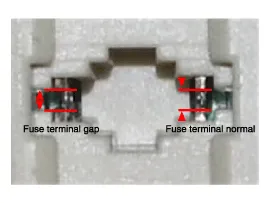
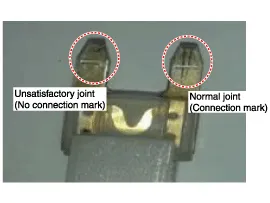
2. Inspection of connector by each part
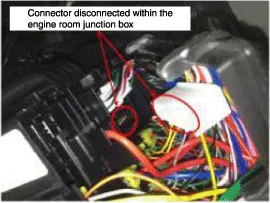
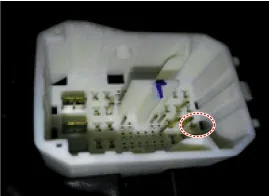
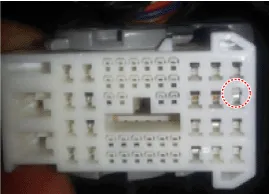
Check whether each connector is damaged, or there is terminal surge or incomplete connection.
[Engine room junction box]
[Stop signal electronic module]
[ABS/VDC control module]
3. Inspect the stop lamp circuit
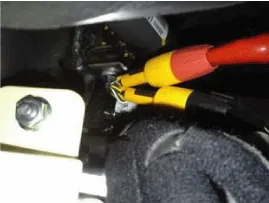
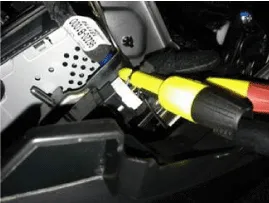
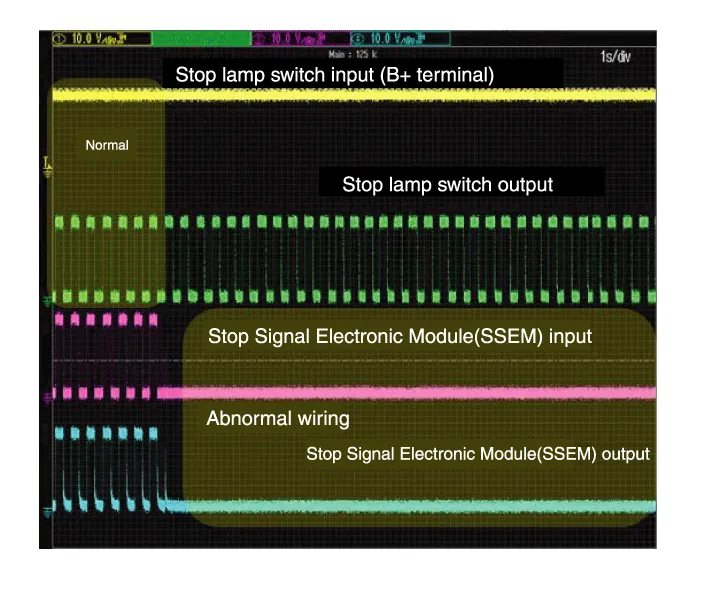
Connect probe to each terminal wire and check oscilloscope waveform.
[Stop lamp switch input/output]
[Stop signal electronic module input/output]
[Oscilloscope waveform screen]
| Removal |
| 1. |
Turn ignition switch OFF and disconnect the negative (-) battery cable. |
| 2. |
Remove the AVN unit.
(Refer to Body Electrical System - "AVN system" )
(Refer to Body Electrical System - "Premium AVN System") |
| 3. |
Remove the glove box.
(Refer to Body - "Glove Box" ) |
| 4. |
Disconnect the stop signal electronic module connector (A). |
| 5. |
Remove the clip (B) and then remove the stop signal electronic module.
|
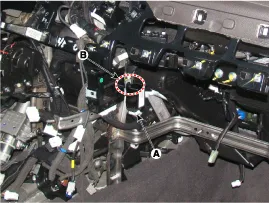
| 6. |
To install, reverse the removal procedure. |
System Circuit Diagram Terminal Function Description1Ground 2HAC/DBC Signal (Active Low)3ESS Signal (Active Low)4Stop lamp5Stop lamp switch6ECU/ SMK7ESS Signal (Active High)8Battery
Other information:
Hyundai Genesis (DH) 2013-2016 Service Manual: Blower Unit Components and Components Location
Component Location Components 1. Seal2. Intake Duct Case3. Intake Door4. Intake Actuator5. Intake Duct Case (A)6. Climate Control Air Filter7. Climate Control Air Filter Cover8. Cluster Ionizer9. Blower Upper Case10. Blower Lower Case11. Power Mosfet12.
Hyundai Genesis (DH) 2013-2016 Service Manual: Blower Unit Repair procedures
R
Categories
- Manuals Home
- Hyundai Genesis Owners Manual
- Hyundai Genesis Service Manual
- Brake System
- Evaporative Emission Control System
- Repair procedures
- New on site
- Most important about car

Copyright В© 2026 www.hgenesisdh.com - 0.0278