
Hyundai Genesis (DH): Auto Head Lamp Leveling Device / Auto Head Lamp Leveling Unit Troubleshooting
Hyundai Genesis (DH) 2013-2016 Service Manual / Body Electrical System / Auto Head Lamp Leveling Device / Auto Head Lamp Leveling Unit Troubleshooting
| Inspection with GDS |
Initialization and diagnosis sequence by using GDS equipment.
The following is the summarized A/S procedure.
| No | Procedure |
| 1 | Park the vehicle on level ground |
| 2 | Tire check |
| 3 | IGN1 ON |
| 4 | Head lamp Low Beam ON |
| 5 | Connection with diagnostic tool |
| 6 | Initial command by diagnostic tool |
| 7 | Clear DTC Code |
| 8 | IGN1 OFF > ON |
| 9 | Re- Connection with diagnostic tool |
| 10 | Checking of HLLD output value as 15% and DTC Code |
| 11 | HLLD actuating by diagnostic tool command |
| 12 | Head lamp mechanical Initial Aiming |
|

| 1. |
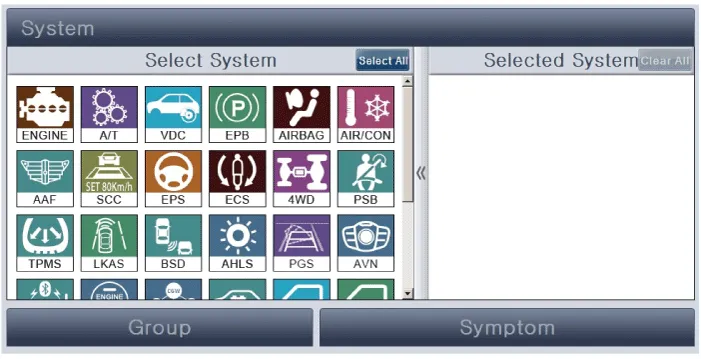
Select the vehicle model and "Auto Head Lamp Leveling System (AHLS)"
|
| 2. |
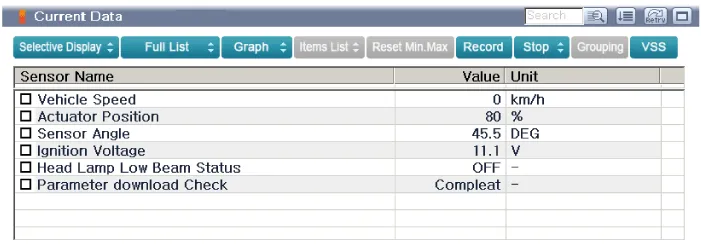
Check the sensor output value and data of each item on the system information screen.
|
| 3. |
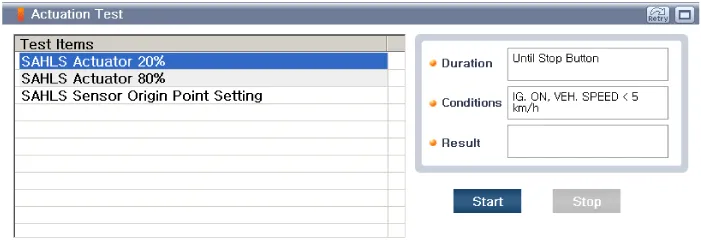
To perform functional test on AHLS outputs, select "Actuation Test".
|
| 4. |
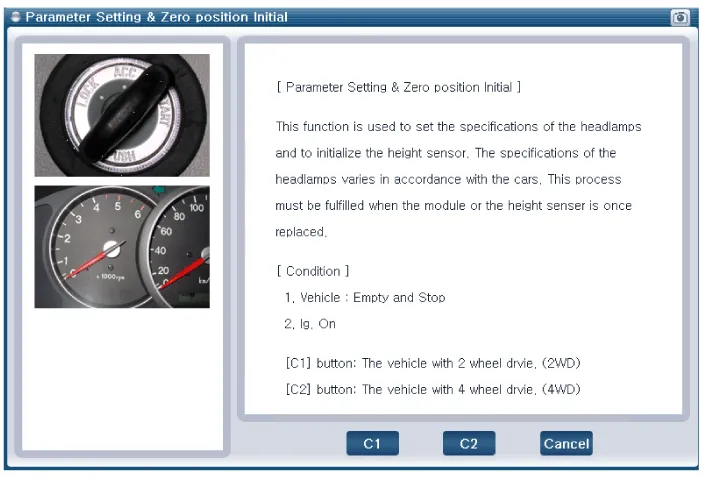
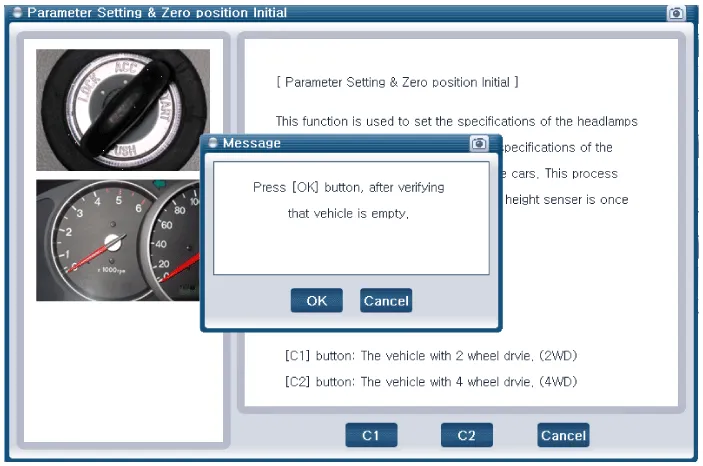
Select " Parameter setting & Zero position Initial".
|
| 5. |
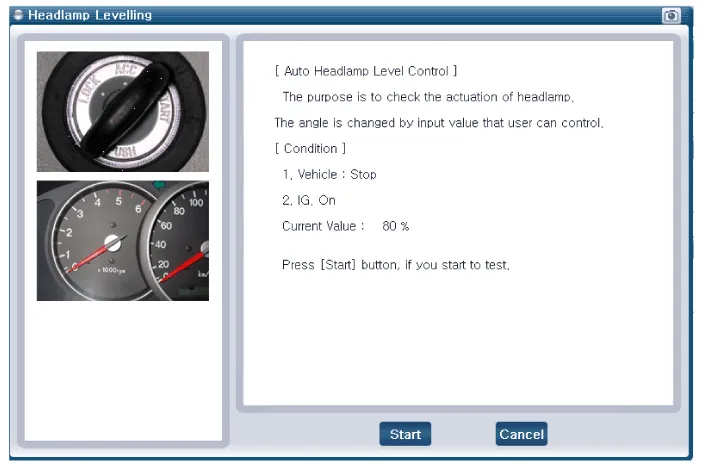
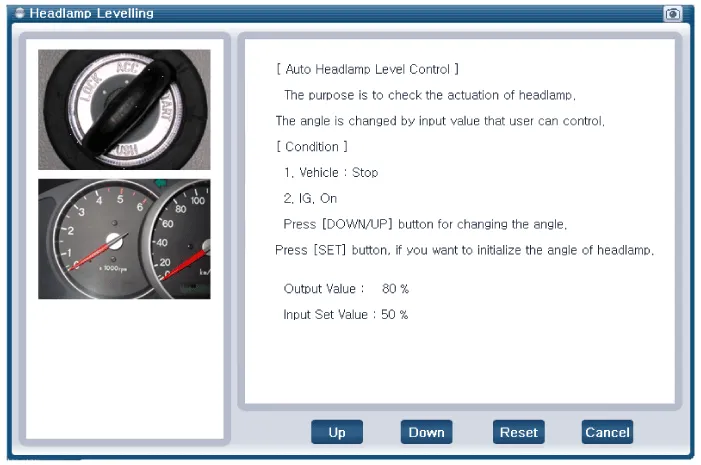
Confirm that AHLS operate forcefully in "Head lamp leveling" menu.
|
| 6. |
To check the DTC of the head lamp leveling system, select "Diagnostic trouble codes" |
Inspection 1. Ignition "ON". 2. Turn on the head lamp switch. 3. Check that the aim of the head lamp changes smoothly when the head lamp leveling device switch is turned on.
Other information:
Hyundai Genesis (DH) 2013-2016 Service Manual: LKAS Unit Repair procedures
Removal 1. Disconnect the negative (-) battery terminal. 2. Remove the mirror wiring cover (A) and rain sensor cover (B). 3. Remove the LKAS unit connector (A). 4. Remove the LKAS unit after disengaging the mounting bracket (A). Installation 1.
Hyundai Genesis (DH) 2013-2016 Service Manual: Repair procedures
Diagnosis With GDS 1. BSD system defects can be quickly diagnosed with the GDS. GDS operates actuator quickly to monitor, input/output value and self diagnosis. 2. Connect the cable of GDS to the data link connector in driver side crash pad lower panel, and turn on the GDS.
Categories
- Manuals Home
- Hyundai Genesis Owners Manual
- Hyundai Genesis Service Manual
- Description and Operation
- Starter Repair procedures
- 4 Wheel Drive (AWD) System
- New on site
- Most important about car

Copyright В© 2026 www.hgenesisdh.com - 0.0313