
Hyundai Genesis (DH): Cooling System / Active Air Flap(AAF) Repair procedures
Hyundai Genesis (DH) 2013-2016 Service Manual / Engine Mechanical System / Cooling System / Active Air Flap(AAF) Repair procedures
| Removal and Installation |
| 1. |
Disconnect the battery "-" terminal from the trunk room. |
| 2. |
Remove the front bumper.
(Refer to Body - "Front Bumper Cover") |
| 3. |
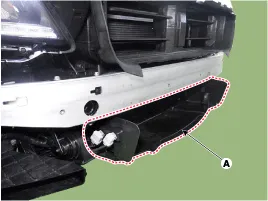
Disconnect the connector and remove the lower air guard (A).
|
| 4. |
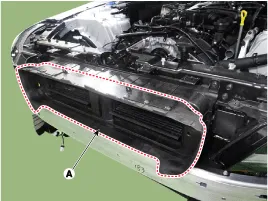
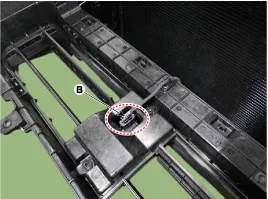
Remove the active air flap (AAF) assembly (A) and disconnect the connector (B).
|
| 5. |
To install, reverse the removal procedure. |
| 6. |
After installation, perform the "Actuation test" using GSD to check on the system. |
| Disassembly |
| 1. |
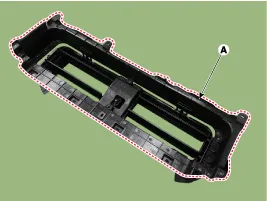
Loosen the fixing screw and then remove the active air flap rear cover (A).
|
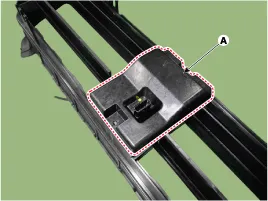
| 2. |
Remove the active air flap actuator cover (A).
|
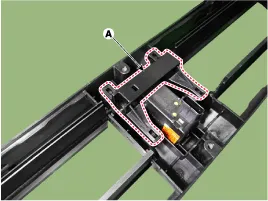
| 3. |
Remove the active air link (A).
|
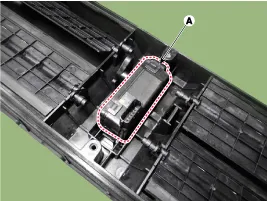
| 4. |
Remove the active air actuator (A).
|
| 5. |
To install, reverse the removal procedure. |
Schematic Diagram Circuit Diagram
Troubleshooting SymptomsPossible CausesRemedyWarning illuminated"Check active air flap system"Active Air Flap System Fail(Flap stuck)
Other information:
Hyundai Genesis (DH) 2013-2016 Service Manual: Description and Operation
Description Integrated Rain Sensor Integrated rain sensor (A) controls three systems: front wiper, auto-light, and central air conditioner. 1. Wiper Control System When "AUTO" switch signal is received from the multi-function switch on the right, the integrated rain sensor detects the amount of rainfall.
Hyundai Genesis (DH) 2013-2016 Service Manual: In-car Sensor Repair procedures
I
Categories
- Manuals Home
- Hyundai Genesis Owners Manual
- Hyundai Genesis Service Manual
- Components and Components Location
- General Information
- Description and Operation
- New on site
- Most important about car

Copyright В© 2026 www.hgenesisdh.com - 0.0324