
Hyundai Genesis (DH): Rear Door / Rear Door Outside Handle Components and Components Location
Hyundai Genesis (DH) 2013-2016 Service Manual / Body (Interior and Exterior) / Rear Door / Rear Door Outside Handle Components and Components Location
| Component Location |
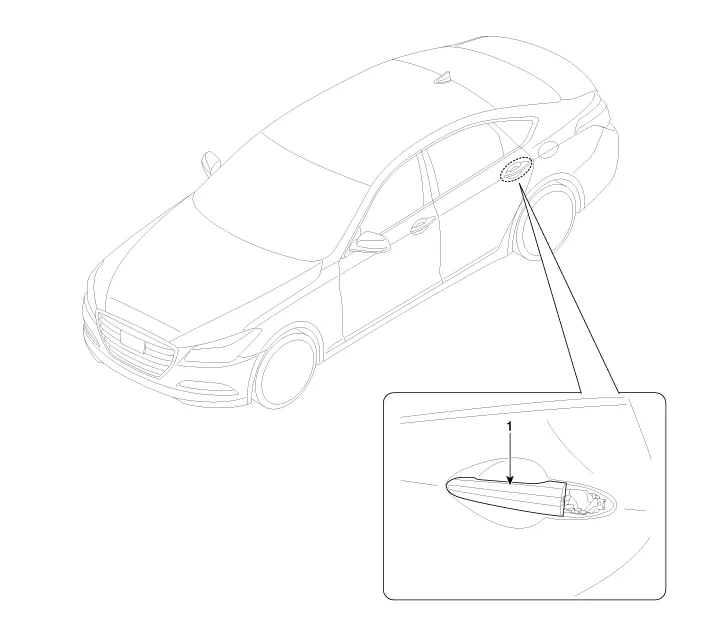
| 1. Rear door outside handle |
Replacement 1. Remove the rear door window glass. (Refer to Rear Door - "Rear Door Window Glass") 2. Remove the rear door outside handle. (Refer to Rear Door - "Rear Door Outside Handle") 3.
Replacement 1. Remove the hole plug (B). 2. After loosening the mounting bolt, then remove the rear door outside handle cover (A). Tightening torque : 6.
Other information:
Hyundai Genesis (DH) 2013-2016 Service Manual: PGS Unit (Back & Blinde Unit) Schematic Diagrams
C
Hyundai Genesis (DH) 2013-2016 Service Manual: Photo Sensor Repair procedures
Inspection 1. Turn the ignition switch ON. 2. Connect the GDS. 3. Emit intensive light toward the photo sensor using a lamp, and check the output voltage change. 4. The voltage will rise with higher intensive light and fall with lower intensive light.
Categories
- Manuals Home
- Hyundai Genesis Owners Manual
- Hyundai Genesis Service Manual
- Restraint
- Transmission Control Module (TCM) Repair procedures
- General Information
- New on site
- Most important about car

Copyright В© 2026 www.hgenesisdh.com - 0.0299