
Hyundai Genesis (DH): Blind Spot Detection system / Blind Spot Detection Indicator Repair procedures
Hyundai Genesis (DH) 2013-2016 Service Manual / Body Electrical System / Blind Spot Detection system / Blind Spot Detection Indicator Repair procedures
| Removal |
Blind Spot Detection Warning Indicator
| 1. |
Disconnect the negative (-) battery terminal. |
| 2. |
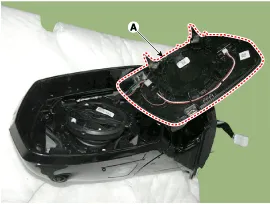
Remove the mirror (A).
|
| Installation |
Blind Spot Detection Warning Indicator
| 1. |
Install the outside mirror. |
| 2. |
Connect the negative (-) battery terminal. |
| Inspection |
Diagnosis With GDS
| 1. |
In the body electrical system, failure can be quickly diagnosed by using the vehicle diagnostic system (GDS).
The tester (GDS) provides the following information.
|
| 2. |
Select the 'Car model' and the system to be checked in order to check the vehicle with the tester. |
| 3. |
Select the module to be checked after selecting BCM.
|

| 4. |
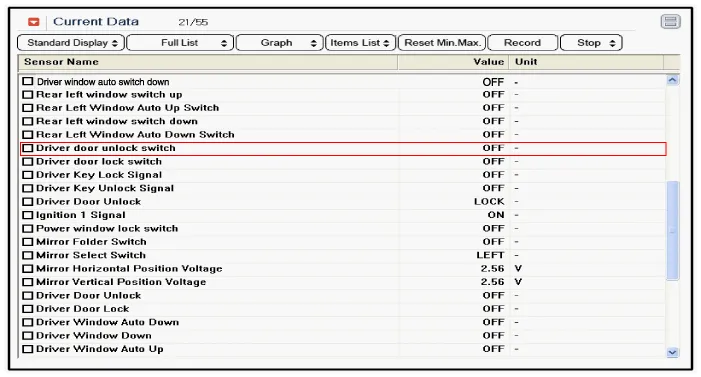
Select the 'Input/Output monitoring" menu to search the current state of the input/output data.
The input/output data for the sensors corresponding to the driver seat or assistant door module(DDM/ADM) can be checked.
|
| 5. |
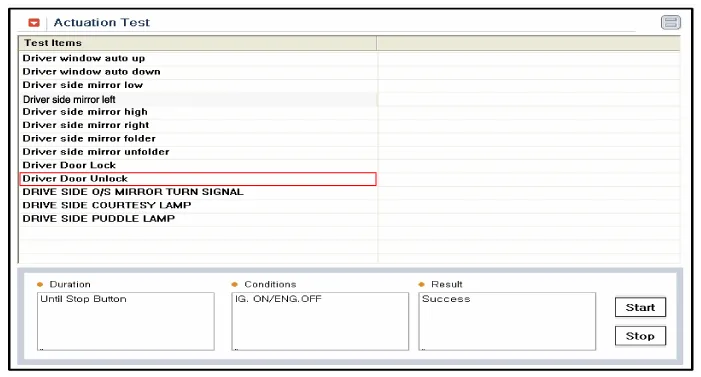
If you will check the power door lock operation forcefully, select "Actuation test".
|
| 6. |
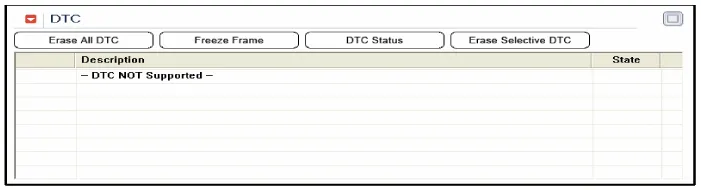
To check the DTC of the DDM/AMD module, select "Diagnostic trouble codes"
|
Components 1. AVM Camera2. Ambient temperature sensor3. Puddle lamp
Other information:
Hyundai Genesis (DH) 2013-2016 Service Manual: Refrigerant Line Repair procedures
Replacement 1. Discharge refrigerant from refrigeration system. 2. Replace any faulty tubes or hoses. Cap the open fittings immediately to keep moisture or dirt out of the system. 3. Tighten the bolt or nut joint to the specified torque.
Hyundai Genesis (DH) 2013-2016 Service Manual: Intake Actuator Repair procedures
Inspection 1. Turn the ignition switch OFF. 2. Disconnect the intake actuator connector. 3. Verify that the intake actuator operates to the fresh position when connecting 12V to terminal 3 and grounding terminal 4. Verify that the intake actuator operates to the recirculation position when connected in reverse.
Categories
- Manuals Home
- Hyundai Genesis Owners Manual
- Hyundai Genesis Service Manual
- Engine Mechanical System
- Brake System
- 4 Wheel Drive (AWD) System
- New on site
- Most important about car

Copyright В© 2026 www.hgenesisdh.com - 0.0317