
Hyundai Genesis (DH): ESC(Electronic Stability Control) System / Rear Wheel Speed Sensor Components and Components Location
Hyundai Genesis (DH) 2013-2016 Service Manual / Brake System / ESC(Electronic Stability Control) System / Rear Wheel Speed Sensor Components and Components Location
| Components |
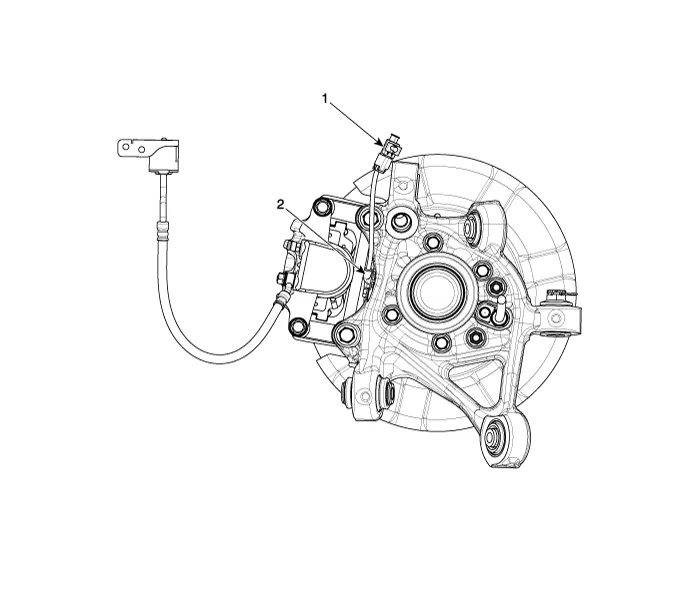
| 1. Rear wheel speed sensor cable | 2. Rear wheel speed sensor |
Removal [4WD] 1. Turn ignition switch OFF and disconnect the negative (-) battery cable. 2. Remove the front wheel and tire (A) from the front hub.
Removal 1. Turn ignition switch OFF and disconnect the negative (-) battery cable. 2. Remove the rear wheel and tire (A) from the rear hub. Tightening torque : 88.
Categories
- Manuals Home
- Hyundai Genesis Owners Manual
- Hyundai Genesis Service Manual
- 4 Wheel Drive (AWD) System
- Repair procedures
- Electric Parking Brake (EPB) Repair procedures
- New on site
- Most important about car

Copyright В© 2026 www.hgenesisdh.com - 0.0469