
Hyundai Genesis (DH): Rear Door / Rear Door Outside Handle Components and Components Location
| Component Location |
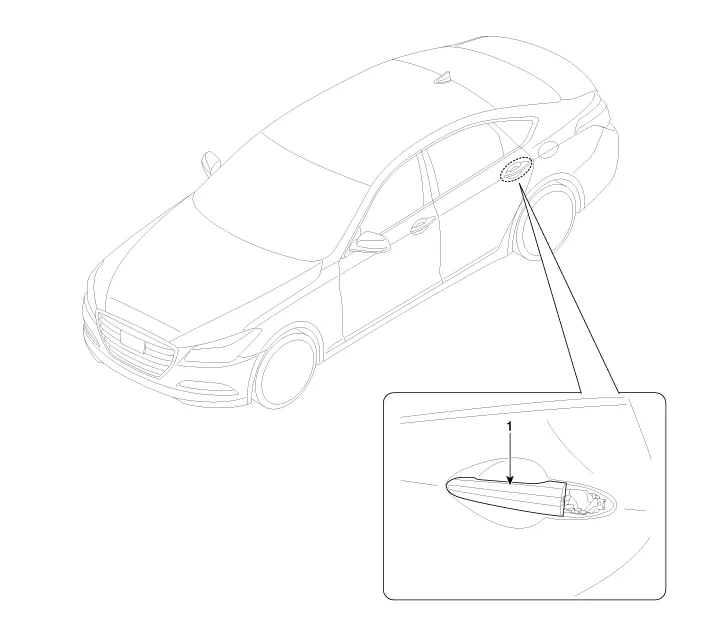
| 1. Rear door outside handle |
Replacement 1. Remove the rear door window glass. (Refer to Rear Door - "Rear Door Window Glass") 2. Remove the rear door outside handle. (Refer to Rear Door - "Rear Door Outside Handle") 3.
Replacement 1. Remove the hole plug (B). 2. After loosening the mounting bolt, then remove the rear door outside handle cover (A). Tightening torque : 6.
Other information:
Hyundai Genesis (DH) 2013-2016 Service Manual: Condenser Repair procedures
Inspection 1. Check the condenser fins for clogging and damage. If they are clogged, clean them with water, and blow them with compressed air. If they are bent, gently bend them using a screwdriver or pliers. 2. Check the condenser connections for leakage, and repair or replace it, if required.
Hyundai Genesis (DH) 2013-2016 Service Manual: Ambient Temperature Sensor Description and Operation
Description The ambient temperature sensor is located inside the side mirror and detects ambient air temperature. It is a negative type thermistor; resistance will increase with lower temperature, and decrease with higher temperature. The sensor output will be used for discharge temperature control, temperature regulation door control,
Categories
- Manuals Home
- Hyundai Genesis Owners Manual
- Hyundai Genesis Service Manual
- Restraint
- Repair procedures
- Body (Interior and Exterior)
- New on site
- Most important about car
