
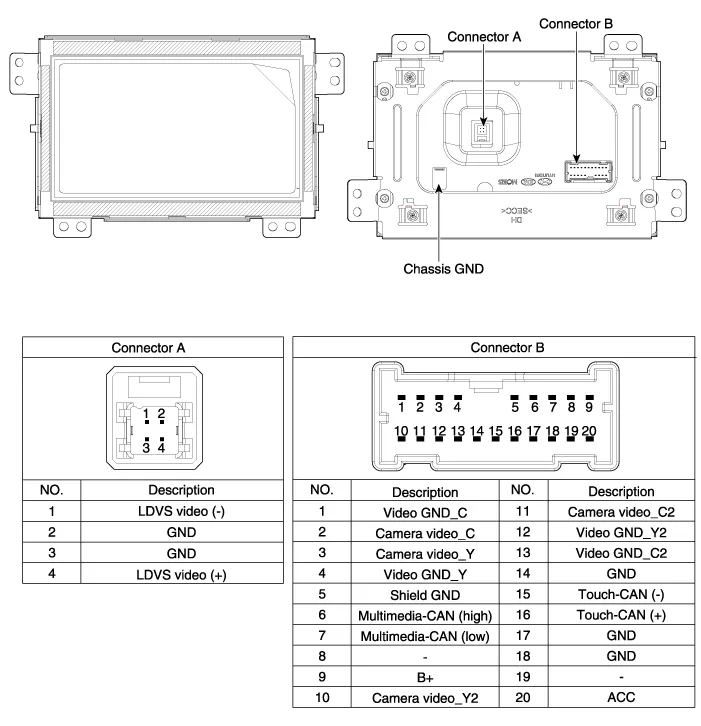
Hyundai Genesis (DH): AVN System / Front LCD monitor Components and Components Location
Hyundai Genesis (DH) 2013-2016 Service Manual / Body Electrical System / AVN System / Front LCD monitor Components and Components Location
| Components |
Removal - Take care not to scratch the crash pad and related parts. - Eject all discs before removing the AVN head unit not to damage the DVD player
Removal Take care not to scratch the crash pad and related parts. 1. Disconnect the negative (-) battery terminal. 2. Remove the crash pad side garnish assembly.
Categories
- Manuals Home
- Hyundai Genesis Owners Manual
- Hyundai Genesis Service Manual
- Components and Components Location
- 4 Wheel Drive (AWD) System
- Description and Operation
- New on site
- Most important about car

Copyright В© 2026 www.hgenesisdh.com - 0.0329