
Hyundai Genesis (DH): Engine Control System / Camshaft Position Sensor (CMPS) Schematic Diagrams
Hyundai Genesis (DH) 2013-2016 Service Manual / Engine Control / Fuel System / Engine Control System / Camshaft Position Sensor (CMPS) Schematic Diagrams
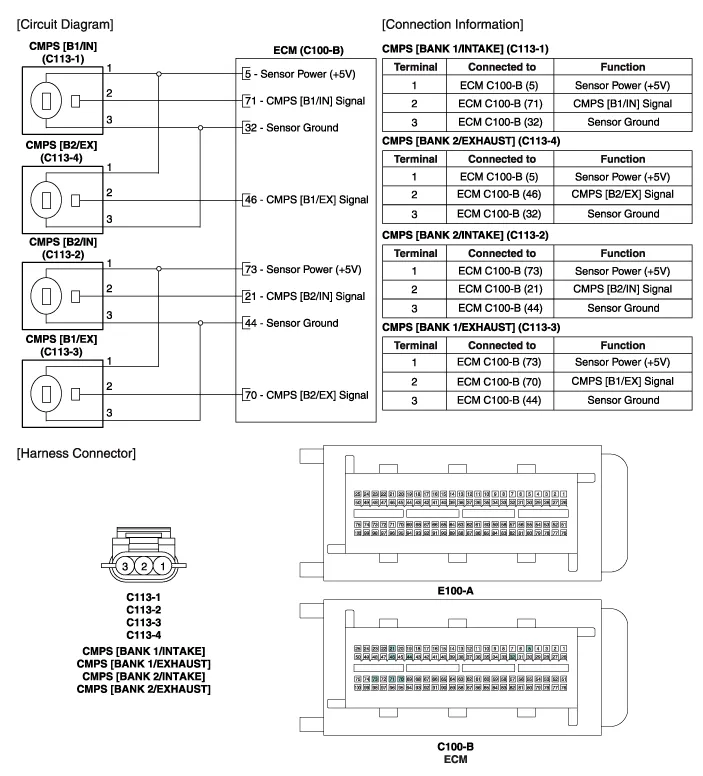
| Circuit Diagram |
Signal Waveform
Inspection 1. Check the signal waveform of the CMPS and CKPS using the GDS. Specification: Refer to
Categories
- Manuals Home
- Hyundai Genesis Owners Manual
- Hyundai Genesis Service Manual
- Description and Operation
- Components and Components Location
- Engine Electrical System
- New on site
- Most important about car

Copyright В© 2026 www.hgenesisdh.com - 0.029