
Hyundai Genesis (DH): Timing System / Drive Belt Tensioner Components and Components Location
Hyundai Genesis (DH) 2013-2016 Service Manual / Engine Mechanical System / Timing System / Drive Belt Tensioner Components and Components Location
| Components |
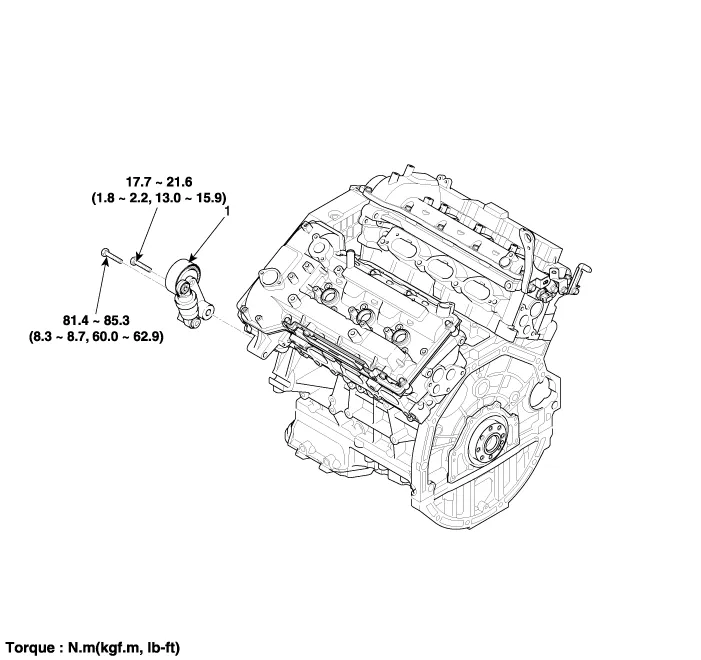
| 1. Drive belt tensioner |
Removal and Installation 1. Remove the drive belt. (Refer to Timing System - "Drive Belt") 2. Remove the drive belt idler (A). Tightening torque : 44.
Removal and Installation 1. Remove the drive belt. (Refer to Timing System - "Drive Belt") 2. Remove the drive belt auto tensioner (A). Tightening torque Bolt (B) : 81.
Categories
- Manuals Home
- Hyundai Genesis Owners Manual
- Hyundai Genesis Service Manual
- 4 Wheel Drive (AWD) System
- Suspension System
- General Information
- New on site
- Most important about car

Copyright В© 2026 www.hgenesisdh.com - 0.0358