
Hyundai Genesis (DH): General Information / Repair procedures
Hyundai Genesis (DH) 2013-2016 Service Manual / 4 Wheel Drive (AWD) System / General Information / Repair procedures
| Adjustment |
Introduction
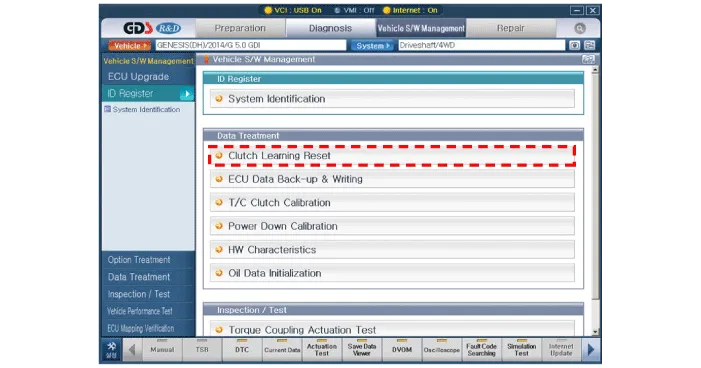
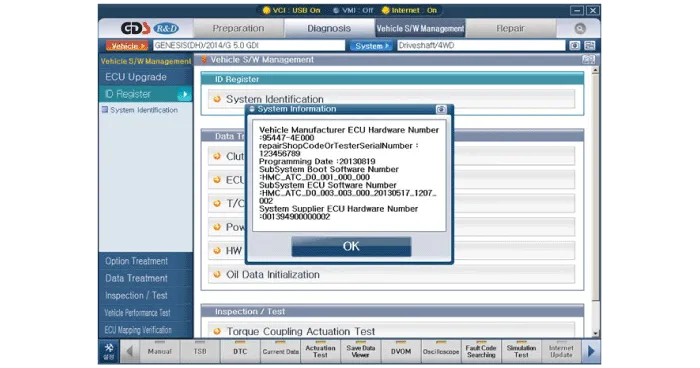
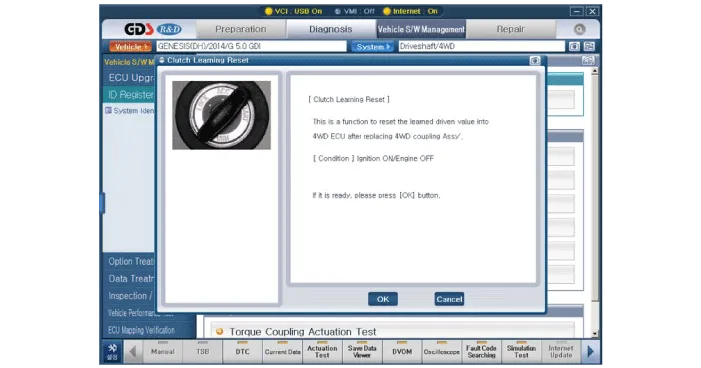
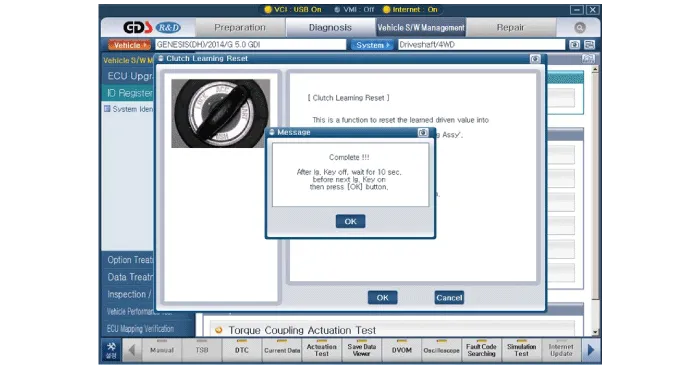
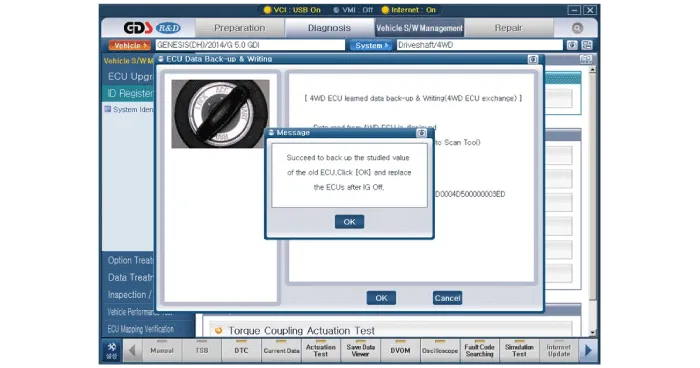
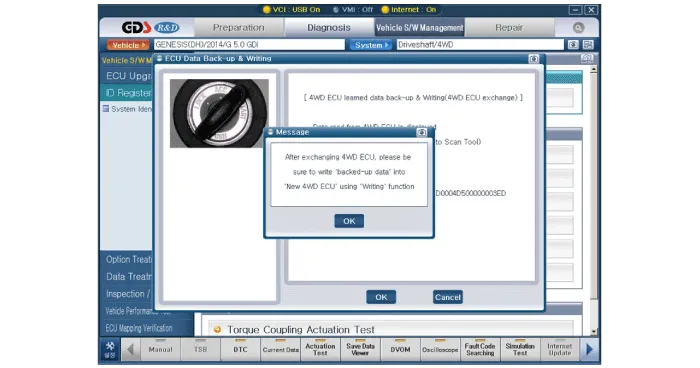
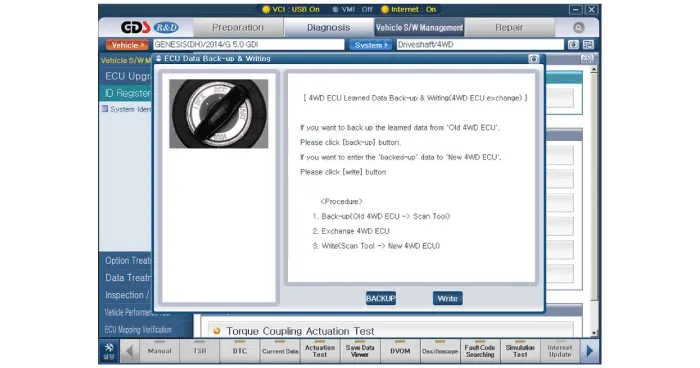
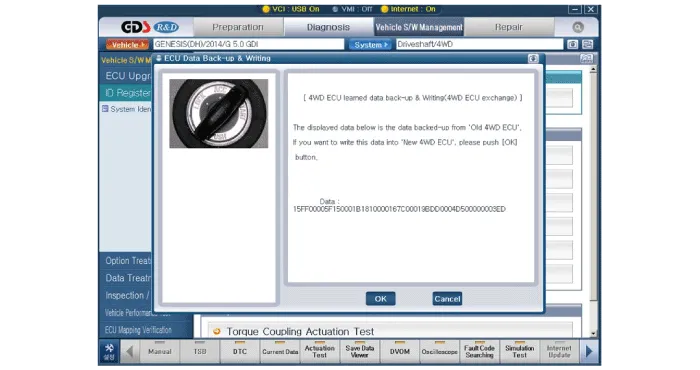
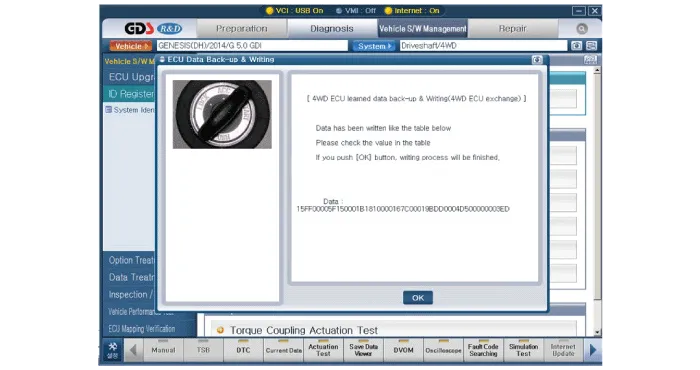
It is necessary to check and input the calibration data when
the controller is replaced as the characteristics of the internal
frictional materials (clutch pack) change due to driving.
Creation condition and calibration method
| 1. |
In case of replacing the transfer case and ITA (ECU)
|
| 2. |
In case of replacing the transfer case only.
|
| 3. |
In case of replacing the ITA (ECU) only
|
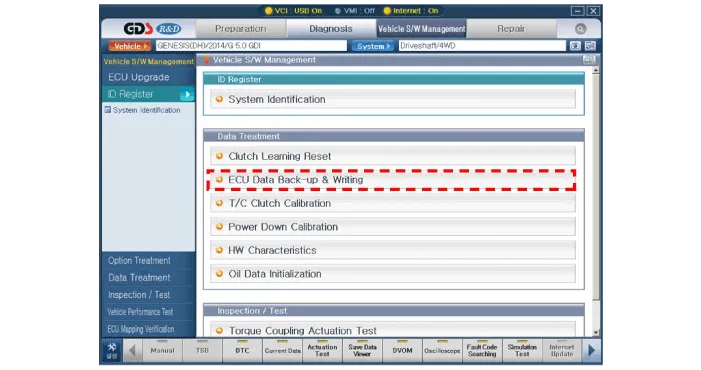
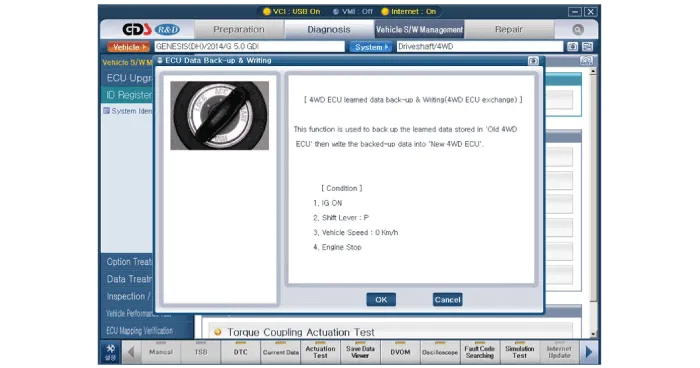
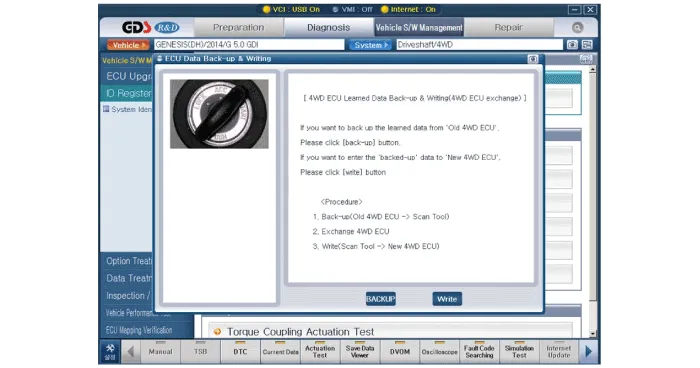
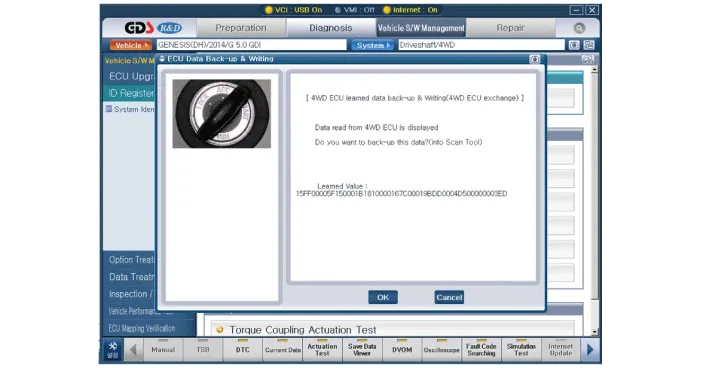
| 4. |
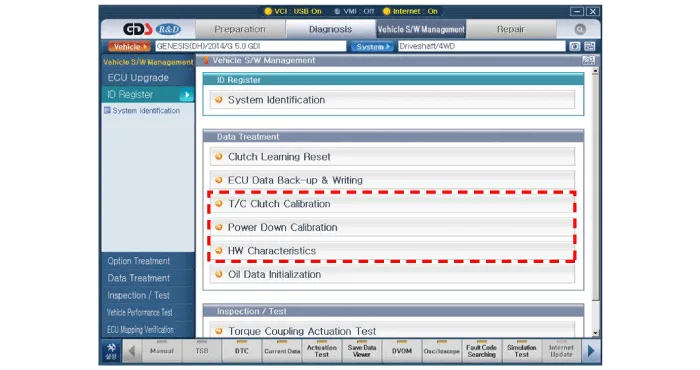
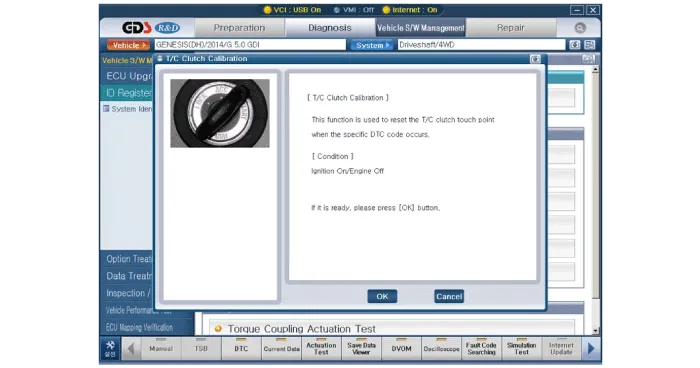
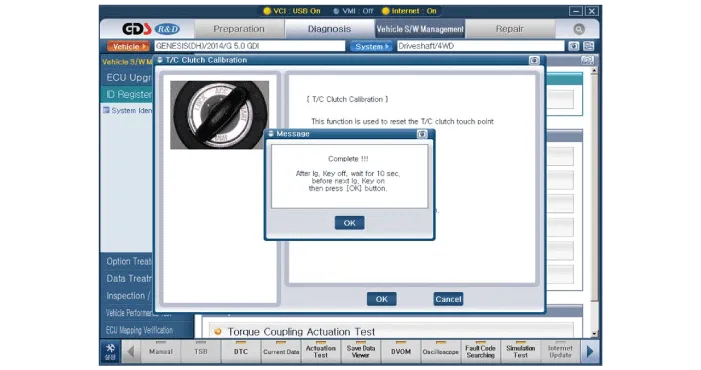
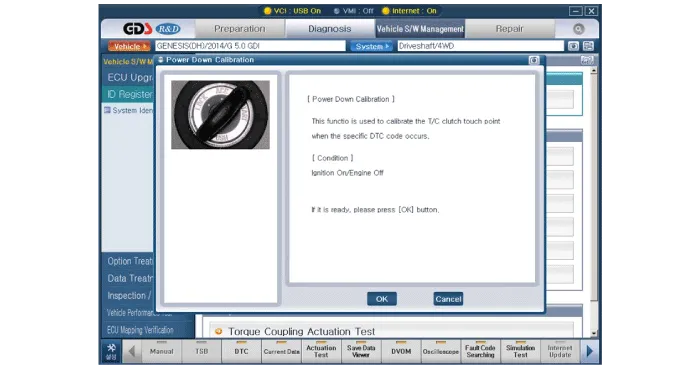
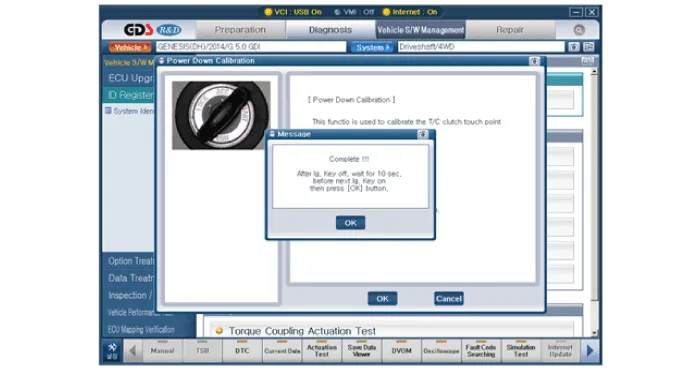
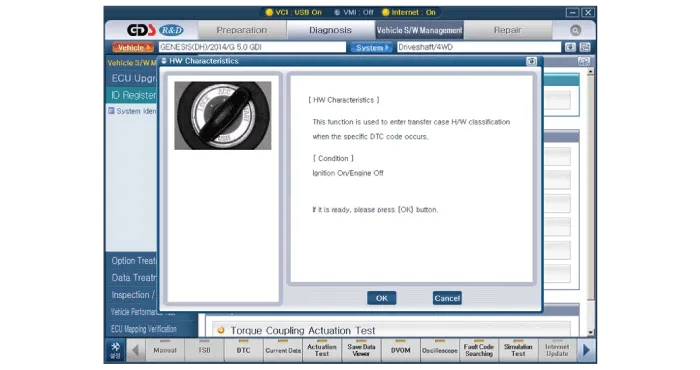
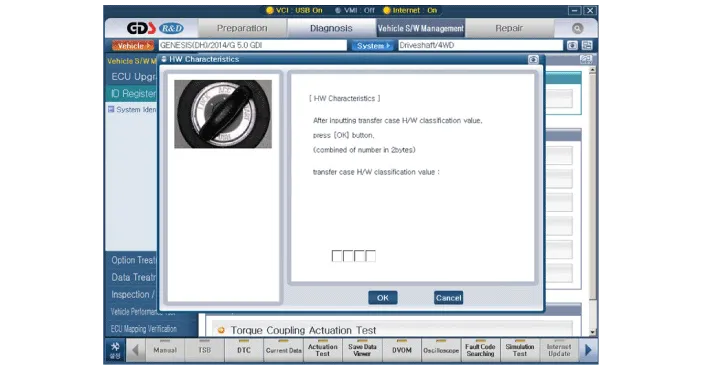
Perform the following procedure in case of the appearance of
failure code. (T/C clutch calibration, power down calibration and the HW
serialization data input)
|
| 5. |
In case of the appearance of specific DTC and oil change.
|
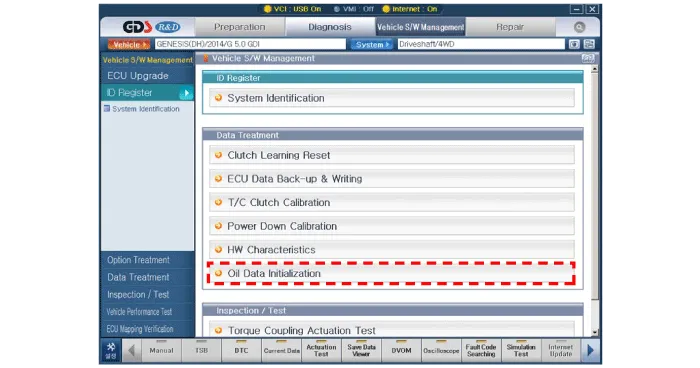
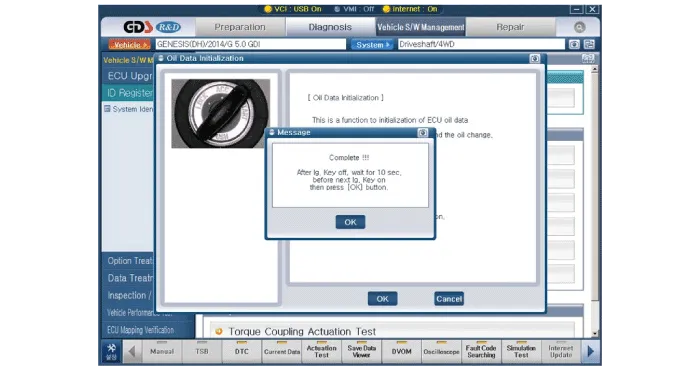
Description 1. Description A. This system is to optimize driving performance through distributing the driving force to the front and rear wheels actively depending on the road condition and driving condition.
Other information:
Hyundai Genesis (DH) 2013-2016 Service Manual: Components and Components Location
C
Hyundai Genesis (DH) 2013-2016 Service Manual: Refrigerant Line Repair procedures
Replacement 1. Discharge refrigerant from refrigeration system. 2. Replace any faulty tubes or hoses. Cap the open fittings immediately to keep moisture or dirt out of the system. 3. Tighten the bolt or nut joint to the specified torque.
Categories
- Manuals Home
- Hyundai Genesis Owners Manual
- Hyundai Genesis Service Manual
- Brake System
- Restraint
- Description and Operation
- New on site
- Most important about car

Copyright В© 2026 www.hgenesisdh.com - 0.0272